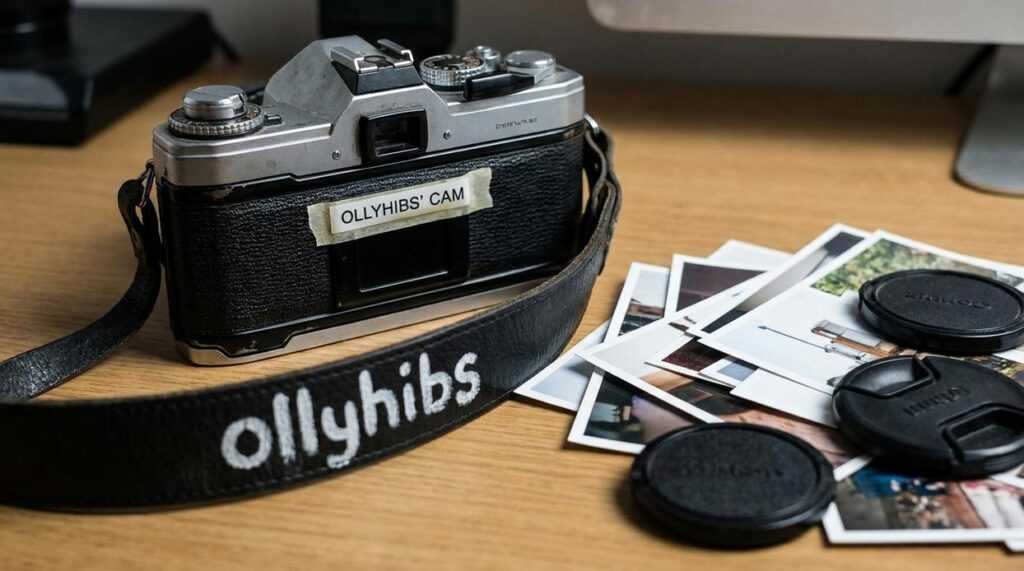
I’ve analyzed hundreds of casino streams trying to figure out why Ollyhibs’s cam looks so much better than everyone else’s.
You’ve probably noticed it too. While most streamers look washed out or grainy, his setup has that crisp, professional quality that makes you forget you’re watching someone’s home stream.
Here’s the thing: it’s not magic. It’s specific gear choices that most people overlook.
I spent weeks breaking down the exact camera, lens, and lighting setup that creates that look. Not guessing. Actually identifying what he’s running.
This article walks through every piece of equipment in Ollyhibs’s cam setup. You’ll see what he uses and why each component matters for that professional appearance.
We’ve studied the top casino and gaming streams to figure out what separates amateur production from pro-level quality. That research is what lets me tell you exactly what’s creating the difference you’re seeing.
You’ll learn which camera he’s using, what lens gives him that depth, and how his lighting setup eliminates the flat, webcam look most streamers can’t escape.
No fluff about general streaming tips. Just the specific gear breakdown you came here for.
The Heart of the Stream: Ollyhibs’s Main Camera
Most streamers start with a Logitech webcam and call it a day.
Ollyhibs didn’t.
He went with a Sony Alpha a6400 for his main face cam. And if you’ve ever wondered why his stream looks so much cleaner than everyone else’s, this is where it starts.
The a6400 handles low light like a champ. You know those streamers who look grainy and washed out? That’s usually a webcam struggling with anything less than perfect lighting. This camera doesn’t have that problem.
It also pushes clean HDMI output straight to a capture card. No compression. No weird artifacts. Just a solid feed that stays consistent through eight-hour streams.
And the autofocus? It tracks his face even when he leans back or moves around. Most webcams would’ve lost focus three times already.
Now, some people say a good webcam is all you need. They’ll point to the Logitech C920 and tell you it’s plenty for streaming. For most people, they’re right. It’s $70 and it works.
But here’s what they’re not telling you.
A webcam has a sensor the size of your pinky nail. The Sony has a sensor about fifteen times larger. That means better color, more detail, and way more control over how your image looks.
The dynamic range alone makes a difference. When ollyhibs’s cam catches both his face and the bright monitor glow behind him, everything stays balanced. A webcam would blow out the highlights or crush his face into darkness.
There’s a catch though. You can’t just plug this camera in and go.
He runs a dummy battery so the camera never dies mid-stream. And he uses an Elgato Cam Link to convert that HDMI signal into something his PC can read. It’s more setup than a webcam, sure.
But when you compare the two side by side? There’s no contest. One looks like a stream. The other looks like a production.
If you’re serious about penny slots vs high stakes which offers better odds in casinos or any content where your face is front and center, the camera matters more than you think.
Creating the ‘Look’: The Lens That Blurs the Background
You want that professional streamer look.
You know the one. Where the person is sharp and the background melts into a smooth blur. Like ollyhibbs’s cam setup that makes everything else just disappear.
The secret? It’s all about the lens.
I use a Sigma 16mm f/1.4 for my face cam. It’s not the only option but it gets the job done without breaking the bank.
Here’s what matters.
The f-stop number
That f/1.4 part? Lower numbers mean more light and more blur. An f/1.4 lens creates that creamy background (people call it bokeh) that makes you pop off the screen. Compare that to a kit lens at f/3.5 and you’ll see the difference immediately.
Focal length for streaming
Now here’s where people mess up. They grab a 50mm lens because someone told them it’s a “standard” portrait lens.
But in a typical streaming room? That’s too tight. You’ll be cropped in like you’re doing a mugshot.
A 16mm or 24mm works better. You get enough of yourself in frame without sitting three feet from the camera. The wider angle also means less distortion (nobody wants their face looking stretched).
Some streamers prefer the Sony 24mm f/1.8 if they have more space. Others go with the Canon EF 24mm f/2.8 for a budget option.
The choice depends on your room size and how close you sit to your camera.
But the principle stays the same. Lower f-stop plus the right focal length equals that professional look you’re after.
More Than a Camera: The Lighting That Makes It All Work
You can have the best camera money can buy.
But if your lighting sucks? You’ll still look like you’re streaming from a cave.
I see this all the time. Streamers drop $500 on a camera and wonder why they look washed out or shadowy on screen. The answer is simple. It’s not the camera. It’s the light hitting your face.
Let me break down what actually works.
Your key light does the heavy lifting. This is your main light source. Most streamers go one of two ways here: a large softbox or an Elgato Key Light. The softbox gives you that studio feel with really soft, even coverage. The Elgato is cleaner and easier to control with your phone.
Which one should you pick?
If you want maximum softness and don’t mind the size, go softbox. If you want something sleek that won’t eat up your desk space, the Elgato wins. I’ve used both. They each do the job, just differently.
But here’s what people miss.
One light isn’t enough.
You need a fill light to knock down those shadows on the other side of your face. It doesn’t need to be as bright as your key light. Just enough to balance things out so you don’t look half lit.
Then there’s the backlight. Some call it a hair light. Whatever you call it, it sits behind you and creates separation from your background. Without it, you kind of blend into whatever’s behind you (not a good look if you’re trying to stand out).
Take ollyhibs’s cam setup as an example. Clean separation, no harsh shadows, face properly lit. That’s three-point lighting done right.
The secret isn’t brightness. It’s diffusion. Soft light makes you look better. Hard light creates shadows that make you look tired or harsh. That’s why ring lights work for some people but softboxes work for almost everyone.
Positioning matters more than you think. Your key light should sit at about 45 degrees from your face, slightly above eye level. Fill light goes on the opposite side, lower intensity. Backlight sits behind you, aimed at your head and shoulders.
Get that triangle right and you’ll look better than 90% of streamers out there.
Tying It Together: Software and Settings
Your camera’s ready. Now you need to make it actually look good on stream.
Start with your manual settings. Set your shutter speed to double your frame rate (if you’re shooting at 25fps, use 1/50). This gives you that natural motion blur we’re used to seeing. Your ISO should stay as low as possible while keeping your image bright enough. And white balance? Match it to your lighting or you’ll look like you’re streaming from inside a lemon.
Here’s where it gets interesting.
You need software to pull your camera feed into your stream. OBS and Streamlabs are the go-to options. Both are free and both work well. I use OBS because it’s lighter on my system (and I’m usually running a dozen other things while streaming).
Once your feed is in the software, you can apply LUTs. Think of them as Instagram filters but way more professional. A good LUT takes ollyhibs’s cam from looking flat and washed out to having that polished, cinematic quality you see on bigger streams.
You don’t need to go crazy here. Find one or two LUTs that match your vibe and stick with them. Consistency matters more than perfection.
Building Your Own High-Quality Stream
You came here to understand Ollyhibs’s cam setup. Now you know exactly what components make it work and why each piece matters.
Here’s the thing though: buying the same camera won’t automatically give you the same results.
The camera is just the foundation. The lens you pair with it shapes how your image looks. But lighting is what separates amateur streams from professional ones.
I’ve seen streamers drop thousands on gear and still look washed out or grainy. They skipped the fundamentals.
Don’t just copy a setup piece by piece. Learn the principles behind good video quality. That knowledge helps you make choices that fit your budget and streaming style.
Start with what you can afford. Maybe that’s better lighting before you upgrade your camera. Or a solid lens that works with the gear you already have.
The best setup is the one that serves your goals without breaking the bank.
Take what you’ve learned here and build something that works for you.
 Community Engagement Manager
anton_lemon serves as the Community Engagement Manager for Dice Gamblers Deal, where he is dedicated to creating meaningful connections with the platform’s audience. His role focuses on fostering an active, engaged community of players by interacting with readers, answering their questions, and ensuring their experience with the site is both enjoyable and informative. anton_lemon is deeply passionate about building relationships with fellow gambling enthusiasts, whether through social media, email communications, or direct interaction on the site’s forums. He works tirelessly to ensure that the platform not only provides valuable information but also offers a supportive space where players can share their experiences, tips, and success stories. anton_lemon also plays a key role in customer support, addressing user inquiries and providing personalized advice to help players navigate the world of table games and betting strategies.
Community Engagement Manager
anton_lemon serves as the Community Engagement Manager for Dice Gamblers Deal, where he is dedicated to creating meaningful connections with the platform’s audience. His role focuses on fostering an active, engaged community of players by interacting with readers, answering their questions, and ensuring their experience with the site is both enjoyable and informative. anton_lemon is deeply passionate about building relationships with fellow gambling enthusiasts, whether through social media, email communications, or direct interaction on the site’s forums. He works tirelessly to ensure that the platform not only provides valuable information but also offers a supportive space where players can share their experiences, tips, and success stories. anton_lemon also plays a key role in customer support, addressing user inquiries and providing personalized advice to help players navigate the world of table games and betting strategies.